|
|
|
|
|
|
| |
|
Review
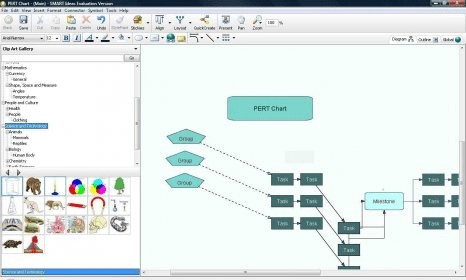
Many a time teachers face problems while explaining a new concept or idea to their students. The concept may be so complex that students are not able to understand or grasp it. With SMART Ideas you can get rid of all such problems. SMART Ideas is a great tool which enables you to visually express the concepts/ideas. With this utility, you can capture and display an entire chapter in a graphical way using different colors and related pictures, which is called as a concept map. This type of graphical representation of ideas makes it easier for students to grasp the concepts while having fun in learning the same.
SMART Ideas allows you to use clipart, connectors, patterns and images to represent your ideas graphically. It provides you with around 2000 resizable images of clip arts organized by categories. With SMART Ideas, you can create legends to explain the meaning of symbols used on maps, add sublevels to symbols for creating multilevel diagrams and save your concept maps as Images, Microsoft Word documents and HTML files.
SMART Ideas is an excellent tool which encourages students to be more creative and to become independent thinkers. Interestingly, this colorful and easy-to-use educational application is free to try. |
- Compatible with most Windows and Mac OS.
- Easy to use.
- Available in multiple languages.
- Allows users to save their concept maps as Microsoft Word documents, HTML files and Image files.
- Provides users with around 2,000 resizable clipart images which are categorized by curriculum topic.
|
- Not free.
- Does not support Linux OS.
|
|
Reviewed by: Maitri Shah Reviewer rating:  |
|
|
Screenshots
All 5 screenshots |